Hypercode Blog
Design & Development in Practice: Presenting Data-Driven Trade Fair and Event Apps at Media University
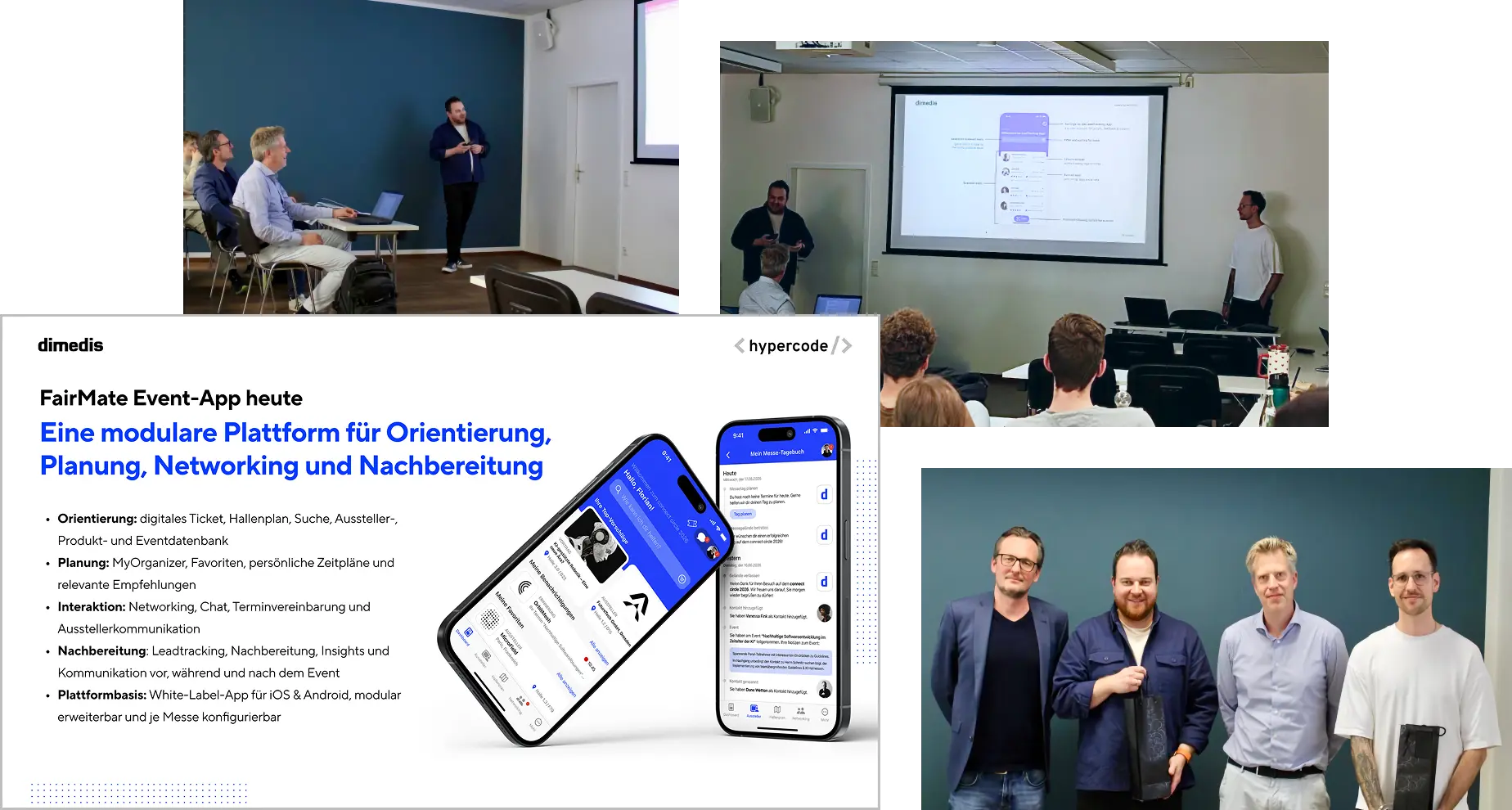
Before the new semester begins, we’re looking back at the previous one. At the invitation of Prof. Dr. Boris Becker, Florian and Stefan shared insights into the collaboration between our companies. Prof. Becker, who has been teaching the “Web Technologies” module with Stefan on the Digital Marketing and E-Commerce program in Cologne for the past two years, welcomed them alongside Prof. Dr. Alexander Rühle.
UX/UI Design and Technology for Trade Fair Visitors
Over an hour and a half, Stefan and Florian showed students how event apps can help people make the most of a trade fair: finding relevant content, navigating the venue and making the right connections.
Using the FairMate Event App as an example, they shared insights into our joint product development process. Hypercode has worked with dimedis as a strategic design and technology partner for several years, from concept development and UX/UI design to development for iOS and Android. The two shared lessons from this collaboration and explained how design and technical implementation work together.
Personalization and AI at Trade Fairs
One focus of the discussion was how content, recommendations and interactions can adapt to individual interests and the situation at hand. Florian and Stefan explained how data analysis can help deliver relevant information at the right moment. They also explored the potential of AI and intelligent matching: apps could suggest relevant contacts and offers, becoming personal trade fair assistants. It’s a topic they also explored in their masterclass at connect circle 2026.
Thank you to Media University and the students for the exchange. We’re looking forward to the new semester!
→ Read Media University’s report on the guest lecture
About Stefan’s Teaching
Stefan has been teaching “Web Technologies” and “User Experience & Web Analytics” at Media University since the summer semester of 2023. He brings experience from our daily work on digital products into the classroom, from the first product idea to the collaboration between design, development, stakeholders and service providers.
awork for Stream Deck: Keep Tasks and Time in View
We originally built the Raycast integration to make searching and logging time in awork faster for ourselves. As it turned out, it helped quite a few others, too. Next, we wanted to keep the most useful information visible at all times, so we could stay on top of our time entries and new tasks.
Since we’re big fans of the Elgato Stream Deck, bringing the two together felt like a natural next step. The customizable controller with its small display keys puts awork information right on your desk.
Tracked Time, Right on the Key
Tracked Time Today shows how much work time you’ve already logged in awork today. The plugin compares that time with your configured daily working hours and displays your progress directly on the key.
It’s especially useful when, between meetings and project work, you find yourself wondering: have I logged everything for today? A glance at the Stream Deck gives you a quick overview, and pressing the key takes you straight to the relevant view in awork.
Your Tasks at a Glance
How many tasks are still open? Have any new ones come in? The Task Count action displays the number of tasks directly on a Stream Deck key. You can choose from three personal views, New Tasks, My Tasks and Private Tasks, or give each view its own key.
Setup & Download
The plugin runs on macOS and Windows. To get started, create an API client in awork; this may require admin permissions. You’ll find each step in our setup guide. Then choose which information appears on each key. You can set the refresh interval for each key individually.

You can find the plugin in the official Elgato Marketplace and install it on your Stream Deck for free. Enjoy, and may your time entries and tasks always be in view!
This is the first in a series of Stream Deck plugins we’ve developed and published for professionals and ourselves. Also available:
- Web Analytics for Stream Deck, which displays website metrics from the popular, GDPR-compliant analytics services Matomo, Plausible and Fathom.
- Feed Key for Stream Deck, our take on a feed reader for Elgato’s hardware controller. A badge lets you know about new content in RSS and Atom feeds, YouTube channels, GitHub releases and podcasts, and pressing the key opens the source.
We’ll take a closer look at these here on the blog soon.
A Hole-in-One Under Blacklight ⛳
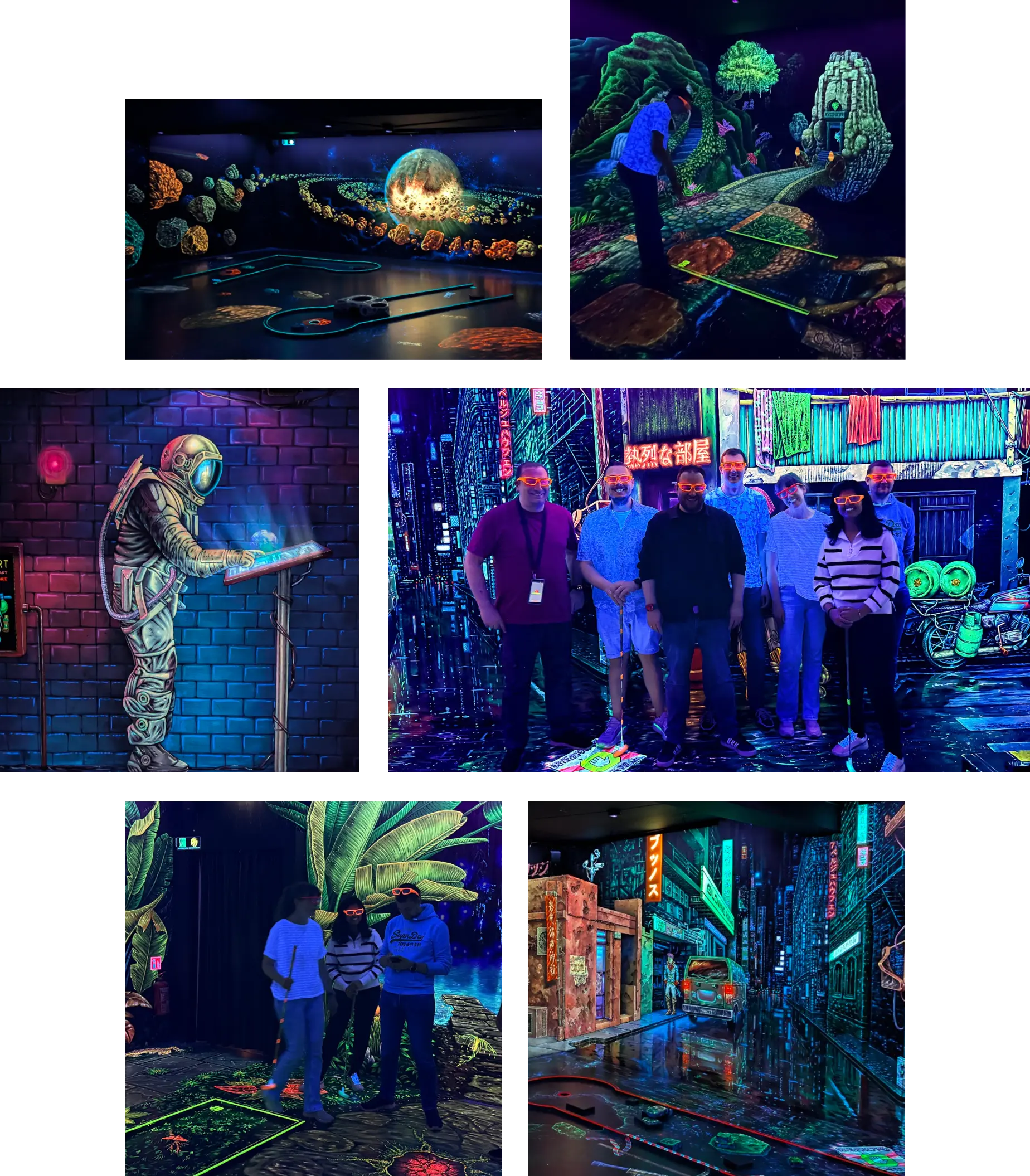
Although not everyone could make it, our team played its way from hole to hole through the colourful blacklight worlds. With our 3D glasses on, we passed glowing temples, ventured into space and explored neon cyberpunk cities. Some of us were holding a minigolf club for the first time, but that hardly slowed them down: even the first-timers sank their balls in just a few strokes. There were strong performances all round and a few holes-in-one to celebrate. ⛳
Afterwards, we rounded off the evening with good food and drinks. It was lovely to spend some more time together outside the office. Another successful team outing — we’d happily do it again!
awork × Raycast: New Features for Better Workflows
Since we introduced our awork extension for Raycast, it’s become part of daily work for us and many other teams. Find projects, open tasks and track time, all from the launcher with a few keystrokes. This update brings awork and Raycast closer together with several new features.
Raycast 2 and Windows
With the arrival of Raycast 2 and Raycast for Windows, we’ve updated the extension to support both, while keeping it running smoothly in Raycast 1.
Project & Task Keys
awork recently introduced Project and Task Keys: unique IDs for projects and tasks, and a feature we’d often requested ourselves. The extension now supports them too. If you’ve enabled keys in awork, you’ll see them in Raycast. If you haven’t, everything works as before.
Create Task / Edit Task
Creating and editing awork tasks was our most requested feature. Now, Create Task is available as a standalone command alongside Search Projects, Search Tasks and Log Time. Select a project and open the pre-filled form from the submenu or with ^C on macOS or CTRL+C on Windows. Welcome to our new Windows users! To edit a task, choose Edit Task from its submenu or use ^E or CTRL+E. You can create subtasks in the same way, provided the selected task isn’t already a subtask.
awork Meets Raycast AI
These features are also available through Raycast’s AI tools. Use @awork to find projects and tasks, track time, or create and edit tasks in natural language. Before creating or changing a task, Raycast shows you the details to confirm, as usual.
The updated extension is available now in the official Raycast Store.
Our awork video profile shows why awork works so well for us and how we use it with our clients. The extension grew out of that everyday work: a small tool that evolves with our needs and with the expanding features of awork and Raycast.