Stream Deck Plugins
USEFUL KEYS FOR THE WORKFLOWSYOU RELY ON EVERY DAY
We love the Elgato Stream Deck for putting the tools, information and actions we use every day right at our fingertips. Now Hypercode brings awork, our favorite project management software, to Stream Deck — alongside Web Analytics, a set of keys for the popular Matomo, Plausible and Fathom web analytics platforms, and Feed Key, a simple way to keep websites, channels, repositories and podcasts in view.


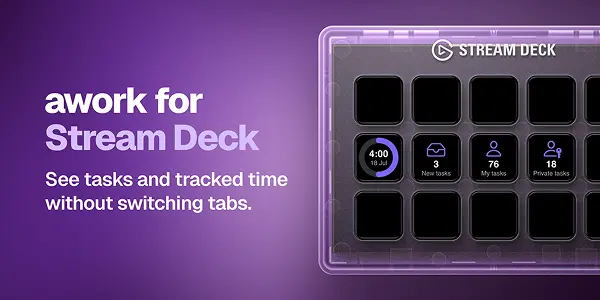
awork for Stream Deck keeps your daily workload and logged time in awork in view. Use Task Count to show New Tasks, My Tasks or Private Tasks, and Tracked Time Today to compare your logged hours with the workday you’ve configured.
Also check out our awork extension for Raycast.
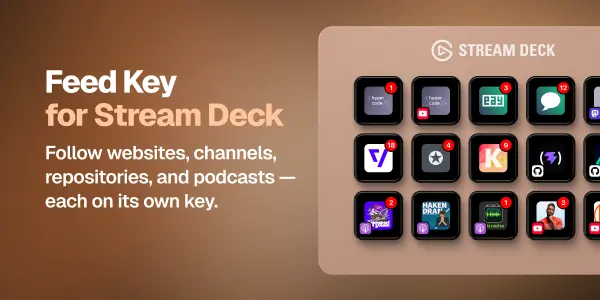
Feed Key for Stream Deck keeps updates from websites, channels, repositories and podcasts in view. Assign a source to each key, see the number of new items over its artwork and open the source website with one press.

Have a workflow in mind? We build Stream Deck plugins for the tools your team uses every day. Tell us what would make your work easier.
Contact usInstructions & Support
Choose a plugin below for features, requirements and setup instructions. For help or to suggest an improvement, contact our support team.

awork for Stream Deck keeps your daily workload and logged time in view. Use Task Count to show New Tasks, My Tasks or Private Tasks, and Tracked Time Today to compare your logged hours with the workday you’ve configured.
Features
- Display the number of open tasks from three personal task views.
- Track today’s logged hours and progress through your configured workday.
- Open the matching awork page directly from your Stream Deck.
- Configure refresh intervals separately for each key.
- Sign in securely through awork OAuth with PKCE.
Installation & Authorization
To use the plugin, add an API client in awork under (Workspace) Settings / Integrations / API clients. You may need administrator permissions.
Use the following example values:
- Name:
awork Plugin for Stream Deck - Client ID:
awork-streamdeck - Redirect URI:
https://oauth2-redirect.elgato.com/streamdeck/plugins/message/de.hypercode.awork/auth/callback(select+to add it)
Enter your clientId in the plugin’s settings and select Connect with awork. Sign in on the awork page that opens; you’ll then return to the Stream Deck software.
Requirements
- Stream Deck 6.9 or later.
- macOS 12 or later, or Windows 10 or later.
- An awork account with internet access.
- An awork OAuth Client ID configured with the redirect URI provided in the setup guide.
For help with setup, contact our support team using the email address above.


Acknowledgements & Disclaimer
We are enthusiastic users of Stream Deck, awork, Matomo, Plausible, and Fathom ourselves. These tools make our daily work better, and the plugins grew out of workflows we use in our own team. Thank you to the people behind them for building products we enjoy using.
Nonetheless: These plugins are independent projects and are not affiliated with, associated with, authorized by, endorsed by, or in any way officially related to Elgato, awork, Matomo, Plausible, or Fathom. All related product names, marks, emblems, and images are trademarks of their respective owners.